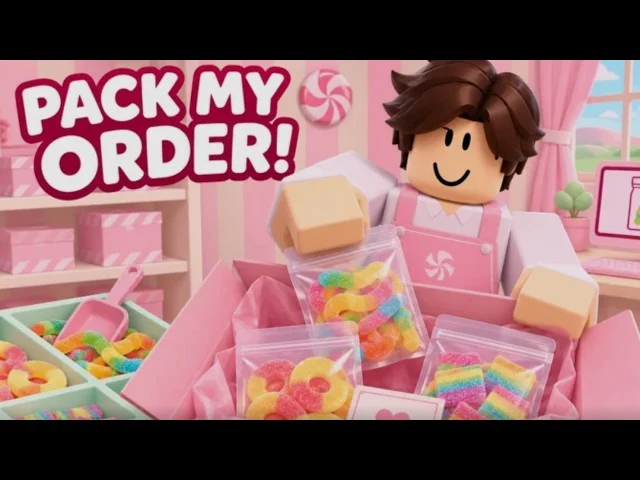
Learn how to start your candy shop in My Candy Business on Roblox: claim your plot, run machines, serve customers, and reinvest profits fast.
Nov 27, 2026guide
Read more →Build your own candy empire in Roblox! Pack candy orders, earn tips, hire helpers, unlock new facilities, customize your shop, and discover rare golden sweets.
Eight sections covering codes, money, candy, upgrades, and everything your candy shop needs
Discover the newest guides, tips, and content
Learn how to start your candy shop in My Candy Business: claim your plot, produce candy, serve customers, and reinvest profits the smart way.
The best My Candy Business strategies for 2026: reinvest early, automate before expanding, and match production to counter speed.
Learn how to get more customers in My Candy Business with shop setup, stock management, VIP orders, and hiring strategies for faster income.
Learn how to make money fast in My Candy Business: machine priority, candy tiers, counter upgrades, employees, and tips to maximize candy shop income.
Learn how to play My Candy Business on Roblox: claim your candy shop, produce candy, serve customers, hire staff, and build a candy empire.
Learn how to start your candy shop in My Candy Business on Roblox: claim your plot, run machines, serve customers, and reinvest profits fast.
Follow the full My Candy Business progression route from your first candy sale to a fully automated candy empire, with milestones and upgrade priorities.
Master My Candy Business with proven tips and tricks: money efficiency, upgrade order, helper automation, and premium candy strategy.
Learn My Candy Business basics: claim your shop, produce candy, serve customers, hire helpers, and reinvest profits to build a candy empire.
A step-by-step My Candy Business walkthrough covering shop setup, candy production, hiring helpers, upgrades, and long-term candy empire growth.
The current status of My Candy Business codes, how redemption works in the Roblox candy tycoon, and where to find verified codes from official sources.
Ranking the best candy in My Candy Business by profit, unlock cost, and production value. Learn which candy to sell at every stage of your shop.
Grab the latest working gift codes and redeem them for free in-game rewards. Codes come from the developer's official Roblox community channels.
Redeem codes in My Candy Business to get free boosts, cash, and exclusive items that give your candy shop a head start. New codes are typically released around game updates and milestones, so check back regularly.
Free cash boost
ActiveOpen the game, tap the Codes button on the left side of the screen, enter the code, and press Redeem.
Limited-time reward
ExpiredThis code has expired and can no longer be redeemed.
Start your candy shop from scratch, make your first sales, and grow your business step by step. Follow this guide to go from broke to a booming candy empire.
My Candy Business is a tycoon-style Roblox game where you build and run your own candy store. This walkthrough covers the full opening routine: setting up your shop, producing candy, serving customers, and reinvesting your first profits.
Spawn into the game and walk to your personal candy shop plot. Claim it to unlock your starting counter, one candy machine, and starter cash.
Interact with your starter candy machine to produce basic candy. Each cycle produces candy stock that automatically fills your display counter.
Open your store so NPC customers walk in and buy candy from the counter. Keep the counter stocked — empty shelves mean no sales.
Pick up the cash customers drop at the counter. Earnings accumulate fast while the shop is stocked and open.
Use early profits to buy additional candy machines and unlock new candy types. More machines mean more stock, more customers, and faster income.
Once income is steady, hire employees to restock and serve automatically, and expand your shop floor with new display areas and decorations.
Learn how to earn cash fast, build your funds efficiently, and maximize your candy shop's profits. Prioritize the right upgrades at every stage of your business.
Making money in My Candy Business is all about reinvesting in the right order. This guide breaks down the best money-making strategies by game stage, from your first few hundred to a fully automated candy empire.
Your first priority is buying more candy machines. More machines produce more stock, which directly multiplies customer sales before anything else matters.
Once you have 3–4 machines, spend cash unlocking premium candy types. Higher-tier candy sells for more per unit, dramatically raising income per customer.
Counter upgrades increase how many customers you can serve at once and how much stock the counter holds, reducing downtime between restocks.
Employees restock machines and the counter automatically. This keeps sales running even when you're away or focusing on other tasks, making it the best mid-game investment.
Use cash for income multipliers, boosts, and expanded shop space. A bigger floor with more displays attracts more customers and lets you run multiple candy lines at once.
Compare every candy type in the game — unlock costs, production method, and sale value — so you can pick the most profitable products for your shop.
Each candy in My Candy Business has its own unlock cost, production requirements, and selling price. Higher-tier candy costs more to unlock but earns significantly more per sale, making it the key to scaling your income.
Unlock: Available from the start
Production: Starter candy machine
Sale value: Low per unit
Your first product — cheap to produce and enough to earn starting cash.
Unlock: Cash purchase
Production: Chocolate machine
Sale value: Medium
First upgrade choice for new shops; solid profit jump over basic candy.
Unlock: Cash purchase
Production: Gummy machine
Sale value: High
Strong mid-game product that pairs well with counter upgrades.
Unlock: Cash purchase
Production: Lollipop machine
Sale value: High
Popular high-value item once you have employees restocking for you.
Unlock: Large cash investment
Production: Advanced candy machine
Sale value: Very high
Best profit per unit in the game — the endgame goal for max income.
Ranking the most profitable facility and production equipment upgrades by stage. Invest your money where the return is fastest.
Every dollar you spend in My Candy Business should work for you. This table breaks down the core upgrade paths — production machines, counters, storage, and shop expansions — and orders them by how quickly they pay for themselves.
ProductionEarly game
Cost: Low to mid (early cash)
Increases candy output per cycle, directly raising sellable stock
SalesEarly game
Cost: —
More customers served per wave, reduces queues and lost sales
LogisticsEarly game
Cost: —
Holds more finished candy so machines keep running while you sell
AutomationMid game
Cost: Mid
Automates production or selling so you earn while idle
FacilityMid game
Cost: Mid to high
Unlocks room for more machines and counters, raising total throughput
ProductLate game
Cost: High
Higher price per unit sold; best once base production is stable
The full growth route from your starter candy shop to advanced business stages. Clear goals, unlock conditions, and rewards at every milestone.
Progression in My Candy Business follows a steady loop: produce candy, sell it, reinvest in machines and staff, and unlock new candy types and shop space as your cash grows. This step-by-step guide walks you through each stage of that journey.
Use the starter machine to make basic candy and serve customers at the counter to build your starting cash.
Put early earnings straight back into machine upgrades so output scales faster than manual grinding.
A worker keeps production or selling running while you handle upgrades and expansion, smoothing your income.
More floor space lets you place additional machines and counters, multiplying your total throughput.
Premium candy sells at much better prices per unit — the key to advanced-stage earnings.
With upgrades, staff, and premium recipes in place, your shop keeps earning even while you plan your next expansion.
Practical tips for higher efficiency, smarter spending, and less waste. Every strategy is grounded in the game's real mechanics.
The difference between a slow candy shop and a booming one usually comes down to decisions, not luck. These strategy cards cover how to spend, when to expand, and how to keep your production chain running at full capacity.
Put your first earnings back into machine upgrades instead of saving them — faster production compounds into much higher income over time.
Hire workers to cover production and selling before paying for extra floor space, so every expansion starts earning immediately.
Don't upgrade machines past what your counters and staff can sell; overflowing storage is wasted money.
Save up for complete upgrade steps rather than spending cash on small interim buys — tier jumps offer the best value per dollar.
High-value recipes shine only when you can produce them steadily; add them after your base operation is automated.
Idle earnings from staffed operations add up — collect and reinvest them whenever you return to the shop.
Track new candy, facilities, limited-time events, and official announcements as the game grows. Only confirmed content is listed.
My Candy Business is a fresh title that is actively developing, with new content rolling out as the game matures. This section collects confirmed updates and additions so you always know what's new in your candy empire.
My Candy Business released with the core candy production, selling, and shop upgrade gameplay loop.
Additional candy recipes have been added to the production lineup, expanding the range of products your shop can sell.
Facility upgrades and floor expansions continue to be introduced, giving growing shops more space and automation options.
The game remains in active early development, with more updates, candy, and events planned — check the official game page for the latest announcements.
Everything you need to know about My Candy Business
My Candy Business is a free candy shop tycoon on Roblox by best tycoons studio. You produce candy, serve customers, pack orders, and reinvest profits into machines, helpers, and shop upgrades.
Open the game, tap the Codes button on the left side of the screen, type a working code into the input box, and press Redeem. Rewards are added to your shop instantly.
Buy extra candy machines first, unlock higher-tier candy next, then upgrade your sales counter and hire employees. Automating production and restocking keeps income flowing even while you are away.
Golden sweets are rare candy finds, such as the golden gumball from the Surprise Scoop. They are uncommon, so keep producing and serving customers regularly to come across them.
Yes. My Candy Business is free to play on Roblox. Optional gamepasses exist, but the full core loop — producing, selling, hiring, and expanding — is playable without spending Robux.
Helpers are employees that restock machines and counters, serve customers, and handle packing automatically. A fully staffed shop keeps earning even while you are offline.
Play My Candy Business on Roblox and join the best tycoons studio community for codes, updates, and sweet discussions!